Your Dock, your rules. Simple and clean.

Sign in to leave a comment.
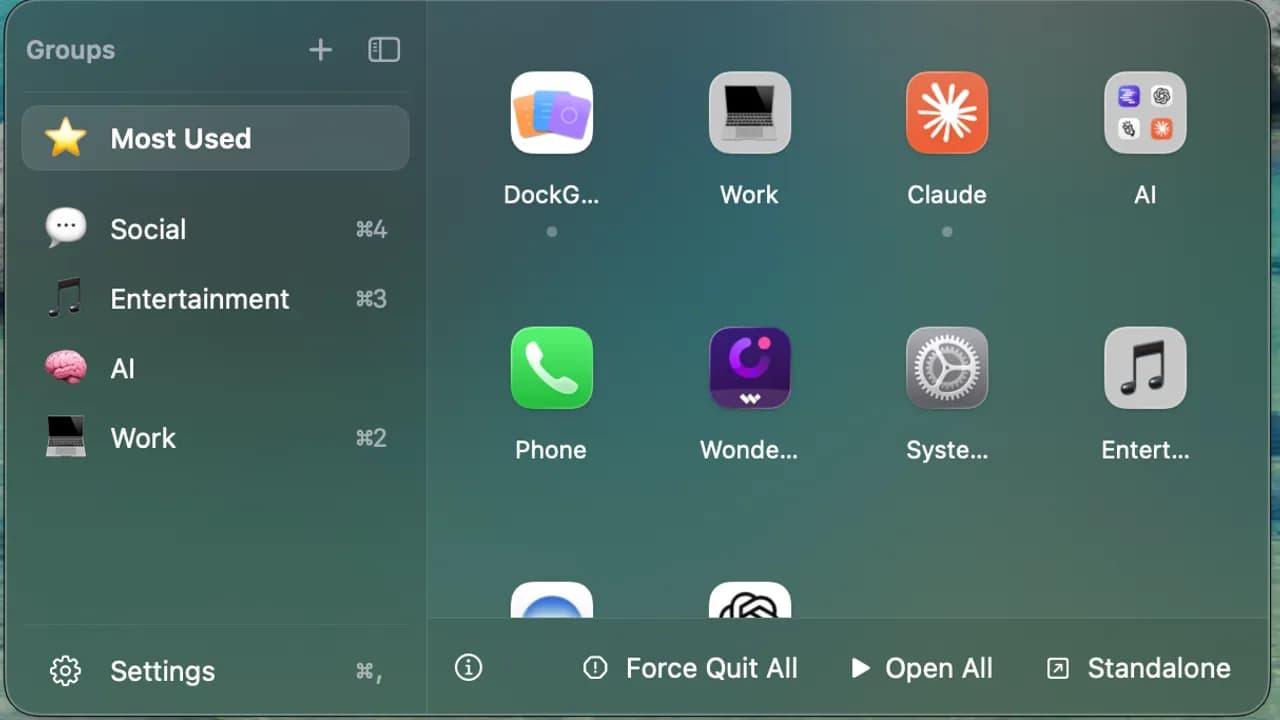
App Groups - Organize apps into named groups, each with a custom emoji icon, stored by bundle ID. - Pin important groups to the top of the sidebar. - Create and delete groups directly from the main panel — no detour into Settings. - Default starter groups (Work, Creative, Utilities) appear on first launch. - Group data is saved atomically with owner-only file permissions, and the app tolerates missing fields so updates never wipe your groups. The Floating Panel - A panel anchored next to your Dock that positions itself correctly whether your Dock sits at the bottom, left, or right of the screen. - Opens from the Dock icon or the menu bar; closes automatically when it loses focus. - A collapsible sidebar toggles between full labels (with shortcut badges) and a compact icon-only rail. - Frosted-glass or solid panel style, plus System / Light / Dark themes. Open All / Close All — the signature feature - Open All launches every app in a group with a small stagger (so macOS doesn't choke
 DailyPings